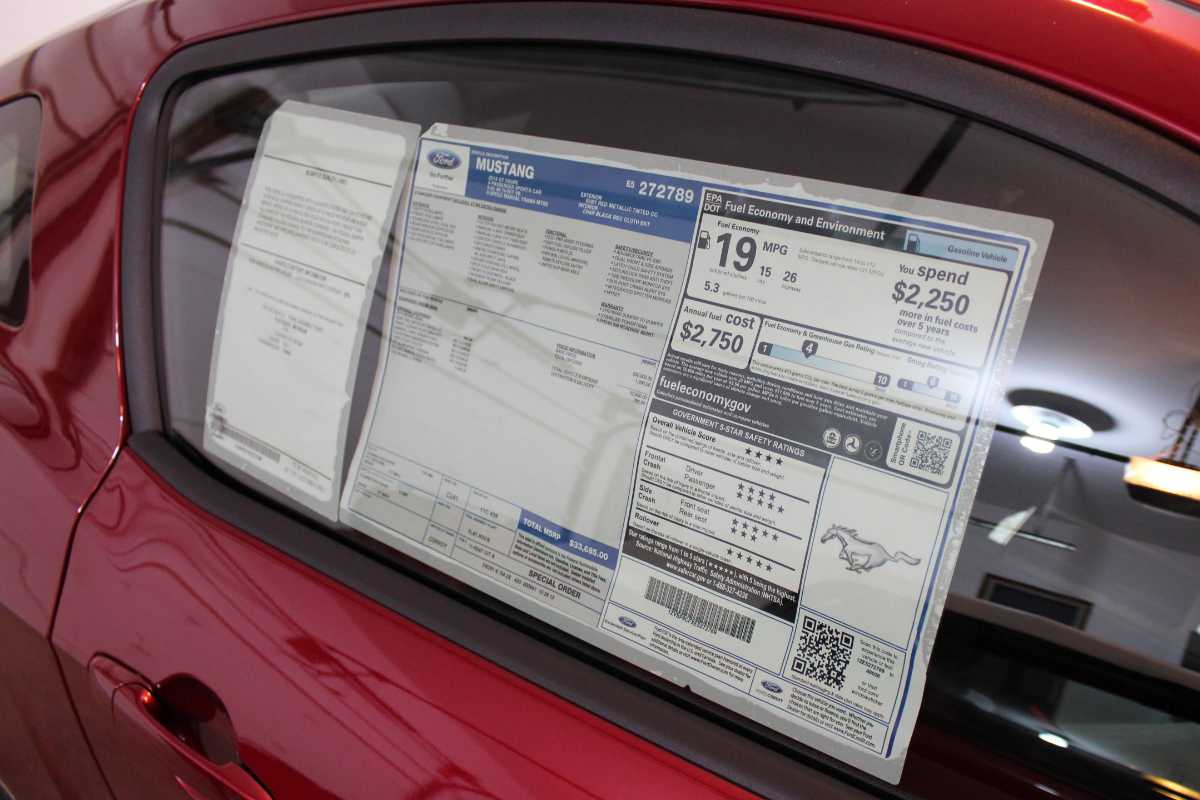
MonroneyLabels.com – Your Definitive Guide to Getting What You Paid For
My original post on MonroneyLabels.com might just be the most viewed page on this site. And, I am way overdue on providing an update. This is that update. The caveat is that my experience with this site is primarily related to Ford window stickers. This update will only cover Ford.
TL;DR – Beware of this site. It might be great or it might be a huge disappointment. Use the mobile app over the web site. This is your best chance to get a real, like when your car came new from the manufacturer, window sticker. It’s no guarantee, though. You can still just get a generic ‘used car’ dealer version of your window sticker. The huge upside of the web app is that you can’t proceed with the purchase if you are just going to get the checklist with no indication of what options your car actually came with when new.
A Little History
My latest experience started a year ago when I started researching the Mustangs with the Ice White Package. I wanted to get window stickers for every car on my list. The best path is getting the Carfax but that doesn’t always work. I went to MonroneyLabels.com to get the ones which I couldn’t get from for sale listings or from CarFax.
My experience there was not what I remembered when I first found this site several years ago. Firstly, there are three possible outcomes from the site when you purchase a window sticker for a valid VIN –
- The window sticker image (.jpg) as it would have appeared on the original window sticker from the manufacturer.
- A facsimile of the window sticker containing the same details that the original window sticker would have contained although not in the original manufacturers format. Instead, it is a generic format.
- A checklist where you can select the options on the car and produce your own facsimile of the original window sticker as you would get with option 2. But, you know, with data you supply.
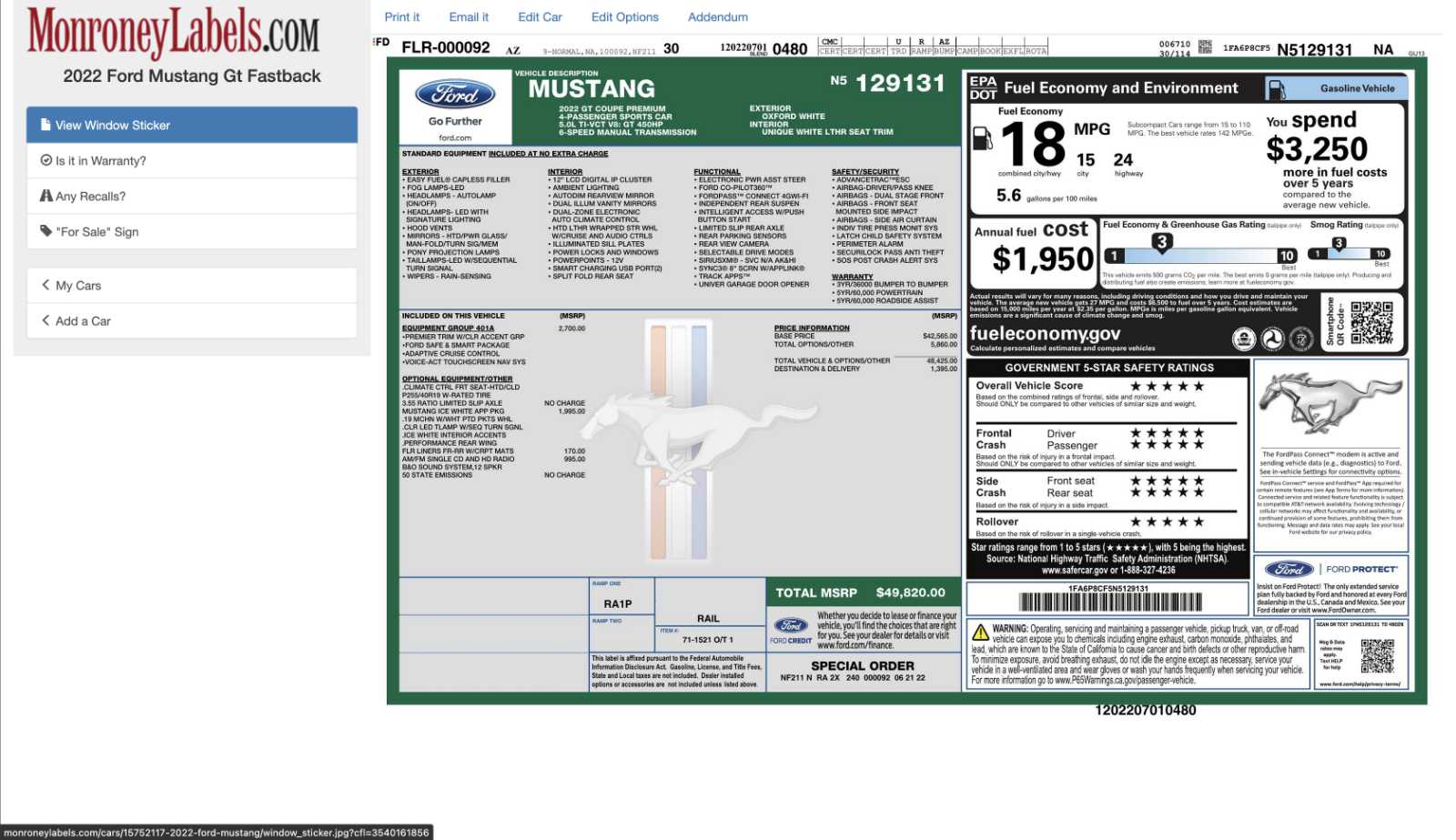
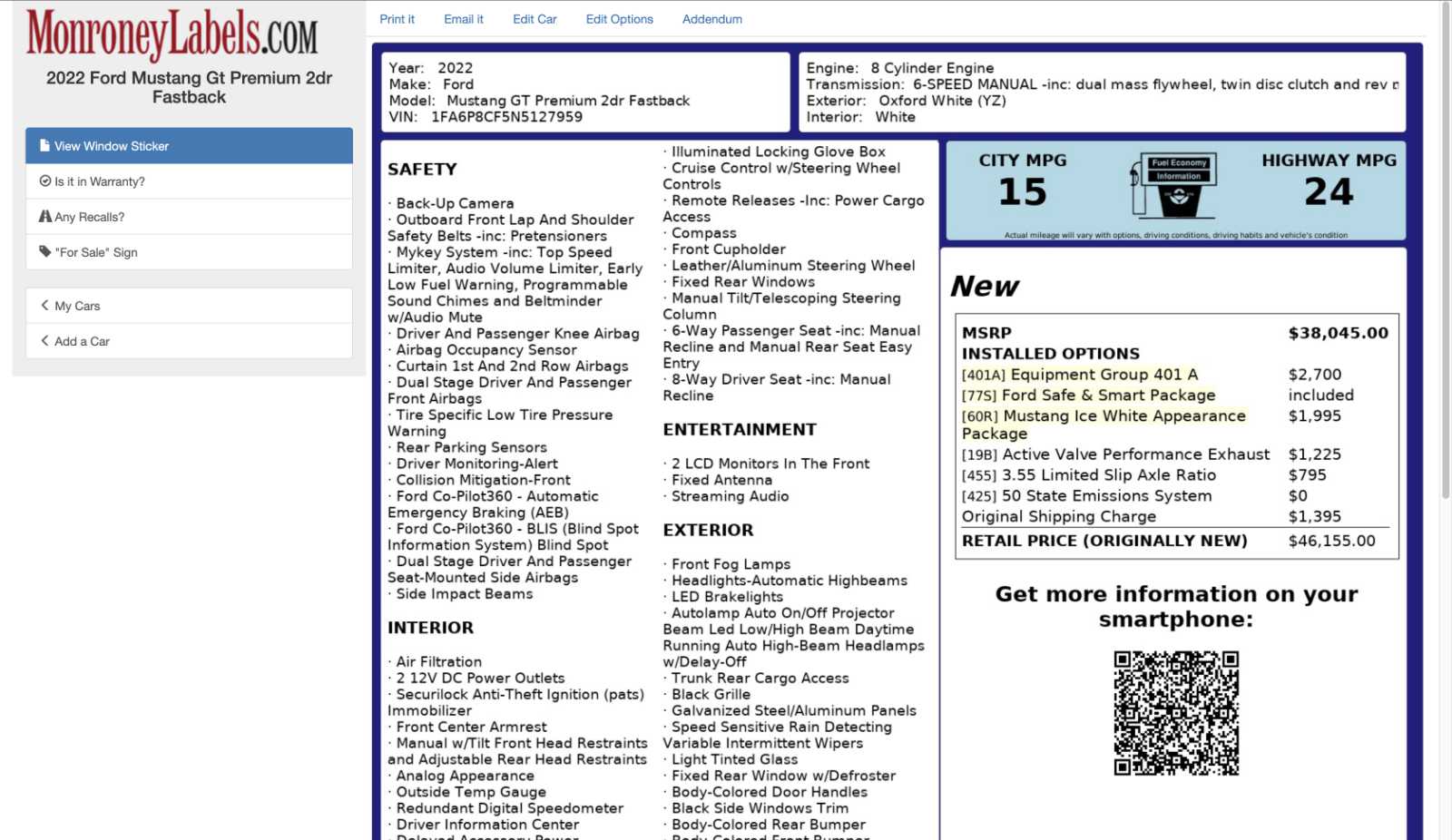
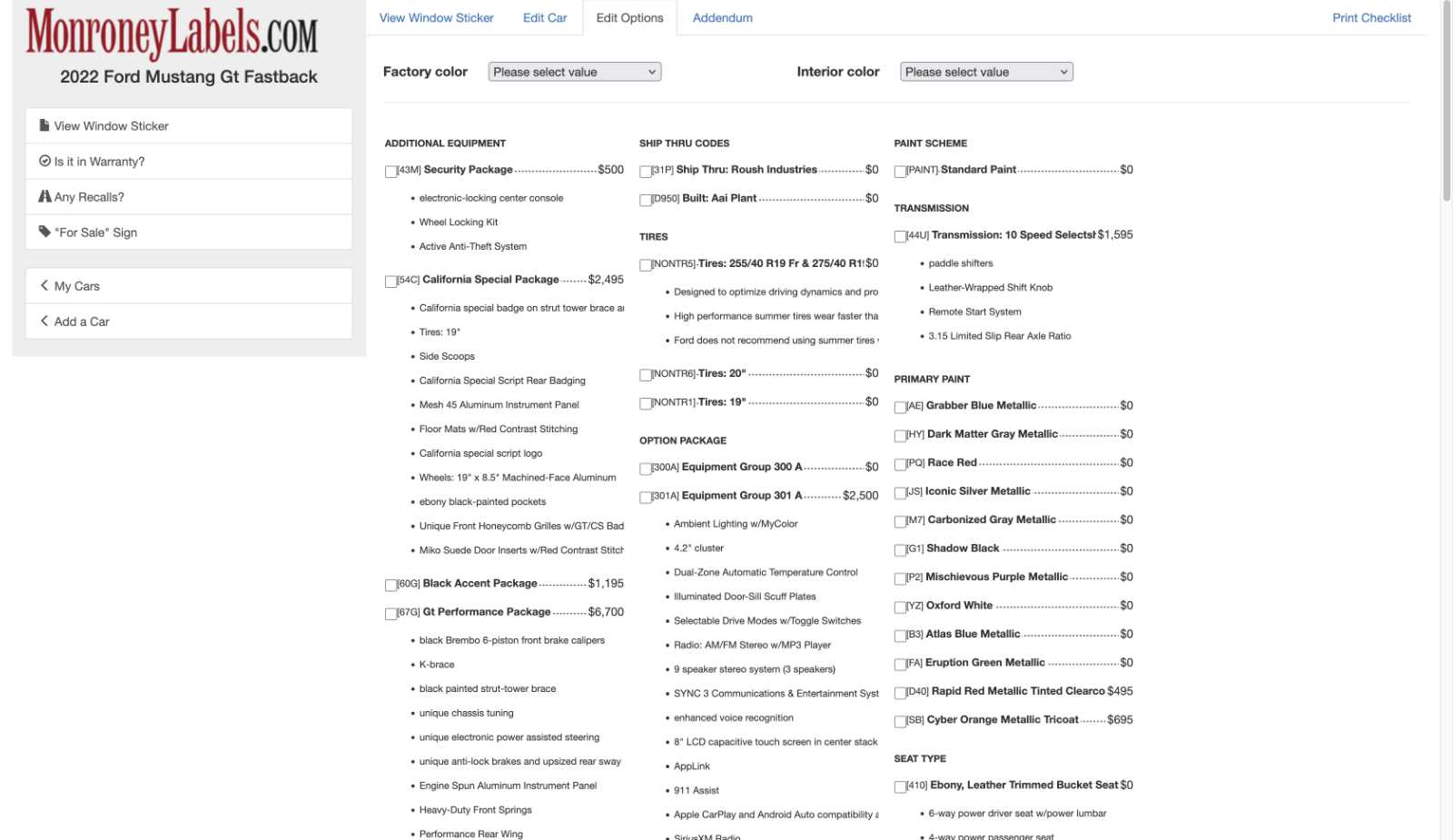
Remember that one intended use case of MonroneyLabels.com is to generate a window sticker to use on a car being offered for sale. Any of these options would meet that requirement. Option 3 would take a bit of work but would be workable. Speaking as an enthusiast, we all really want the first option. The second option is OK if you are just trying to confirm the original equipment on your car. Option 3 is crap.
The Desktop Web Version
This is where my recent experience with this site was not what I remembered it being like. I remember that when you were adding the window sticker to the cart it would tell you which version you were getting. I at least remember getting a notice prior to purchase that only the checklist would be provided. This was no longer the case. In 2026, I can add window stickers which would ultimately result in any of the three options with no hint as to what I would actually get until I spent my $9.99.
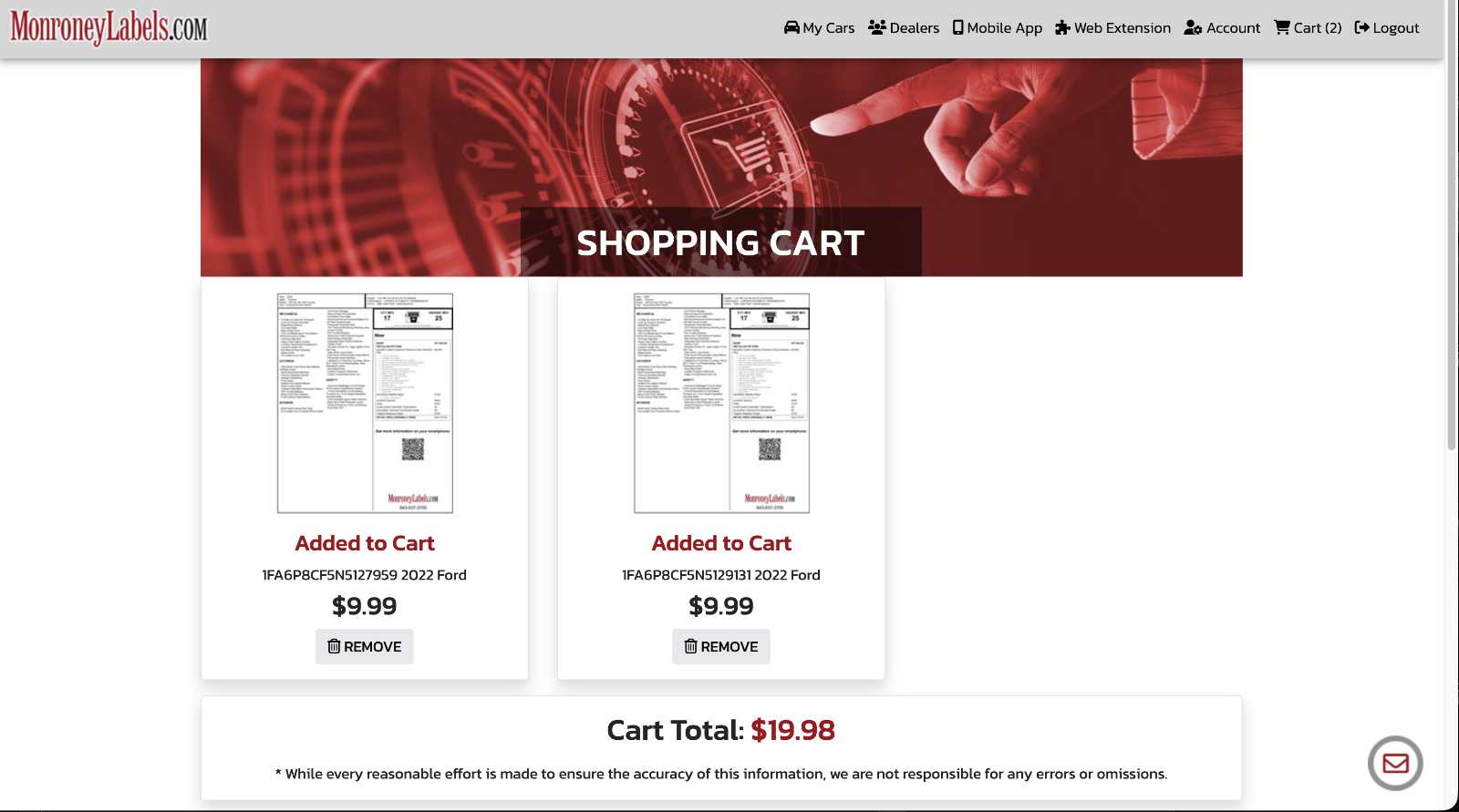
In this first example we have two stickers in the cart. The VIN ending with 127959 results in Option 2 described above. 129131 results in Option 1. From the cart and the process of adding to the cart, there is no way to tell what we will get with our purchase.
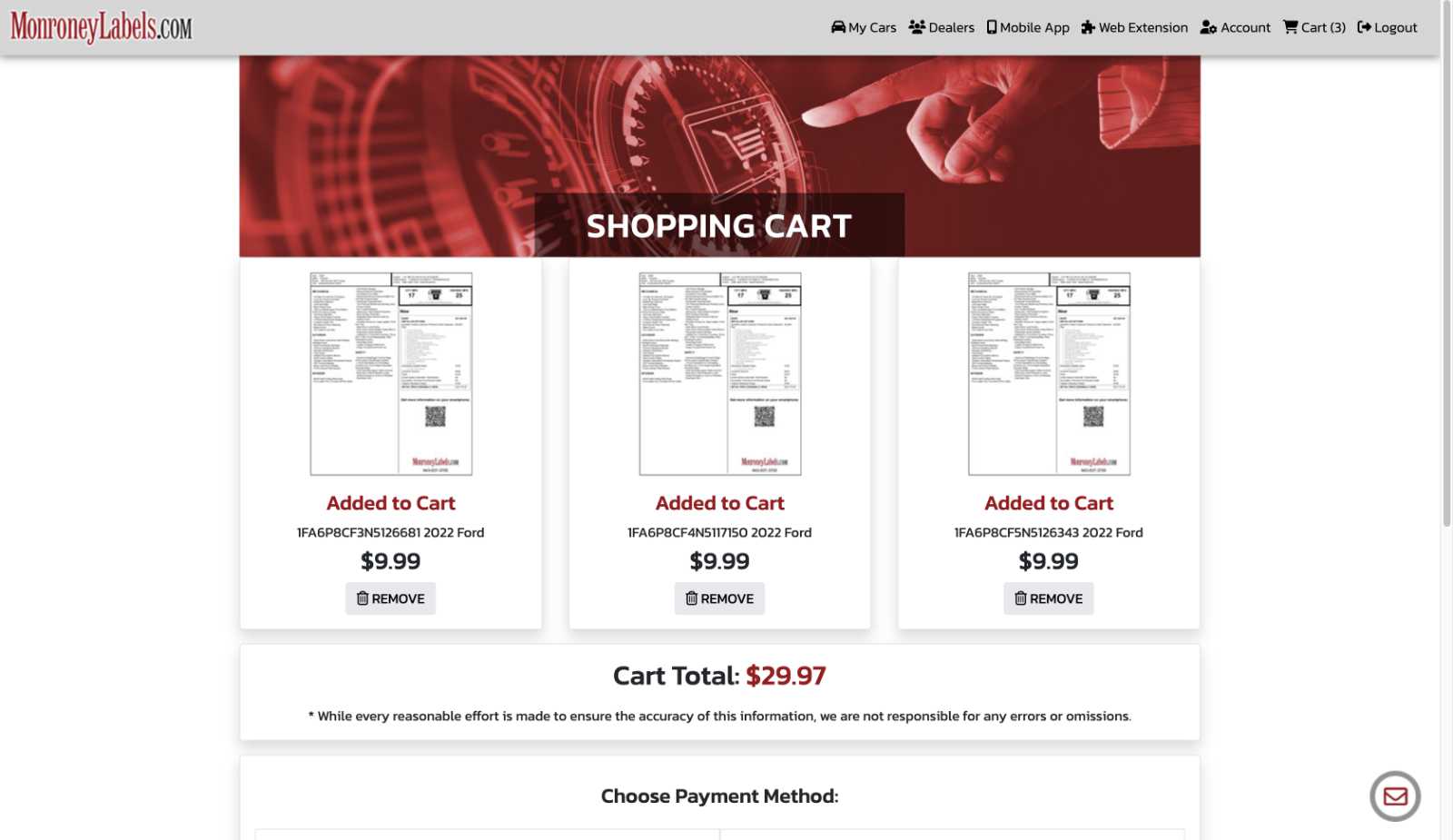
The next example is a cart with three window stickers. The VINs that end in 126681 and 117150 result in Option 1. The VIN that ends with 126343 produces Option 3 – the checklist. Again, there is no discernible way to tell what you will be purchasing from the appearance of this cart. All three cost the exact same $9.99.
The Mobile App (iOS)
The mobile app experience is a little better. Note that I only tried the iOS app and did not try the Android version.
Option 1 – There is an actual window sticker available. In this case, when you add the VIN, you are taken to the next screen where you can then checkout. All is good.
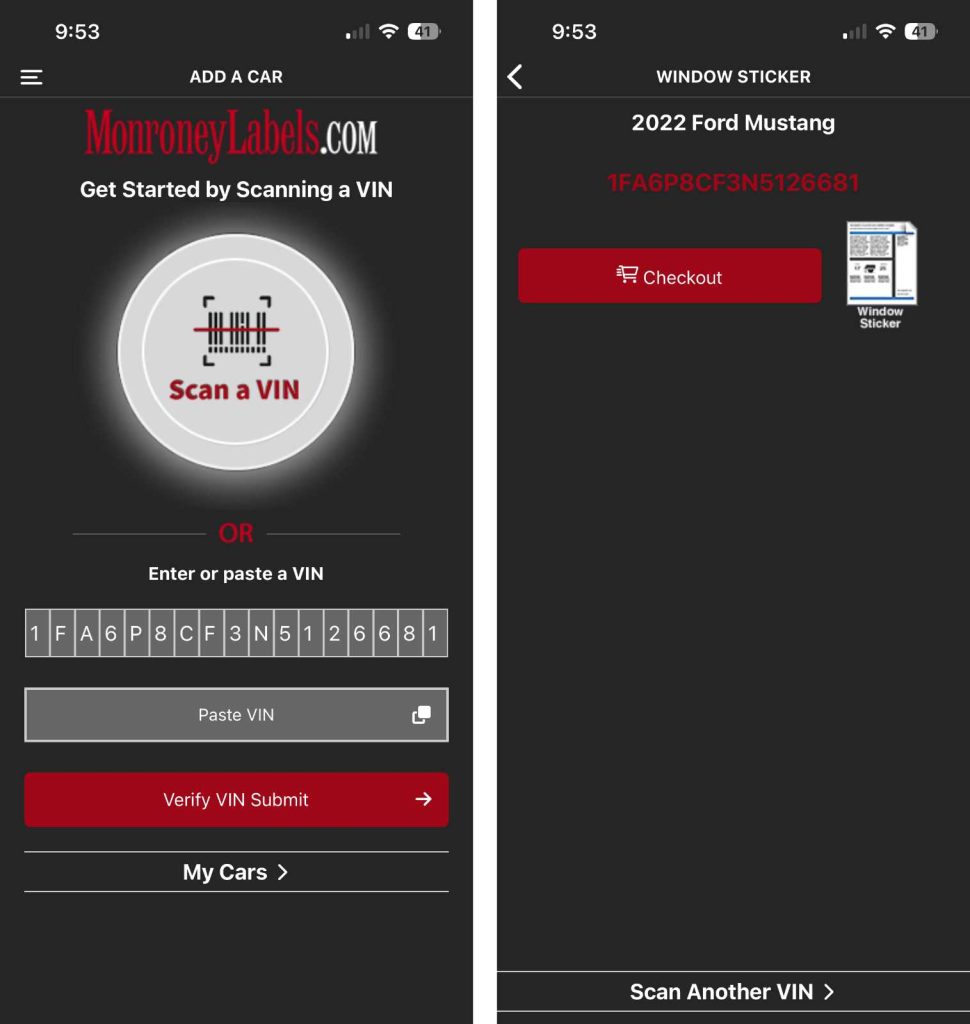
Option 2 – Unfortunately, like the web site, you can’t tell when you are only going to get the options list and not the actual original sticker format. With this VIN, for which we ultimately got the options list, we still see the Checkout button. It is only when we purchase it that we see that we get the options list only in the generic format; not the manufacturer’s format. The little graphic for the representation of the window sticker appears the same between options 1 and 2.
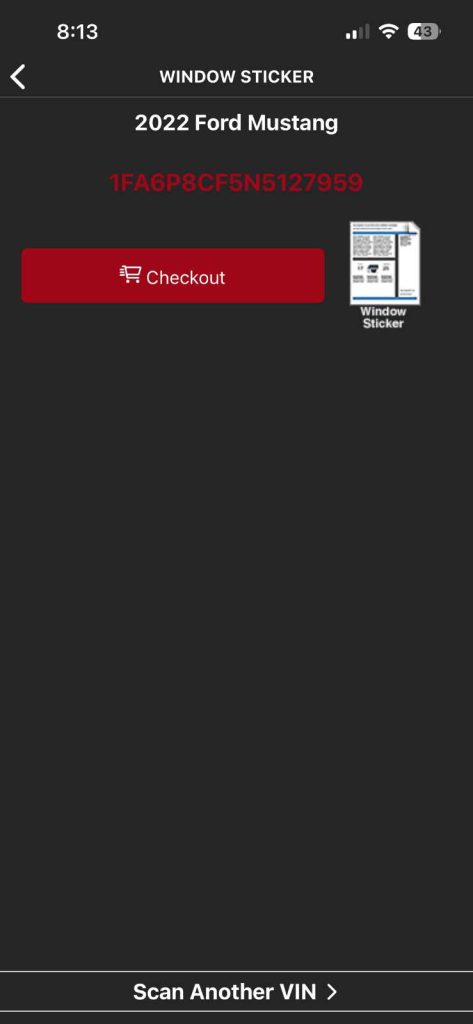
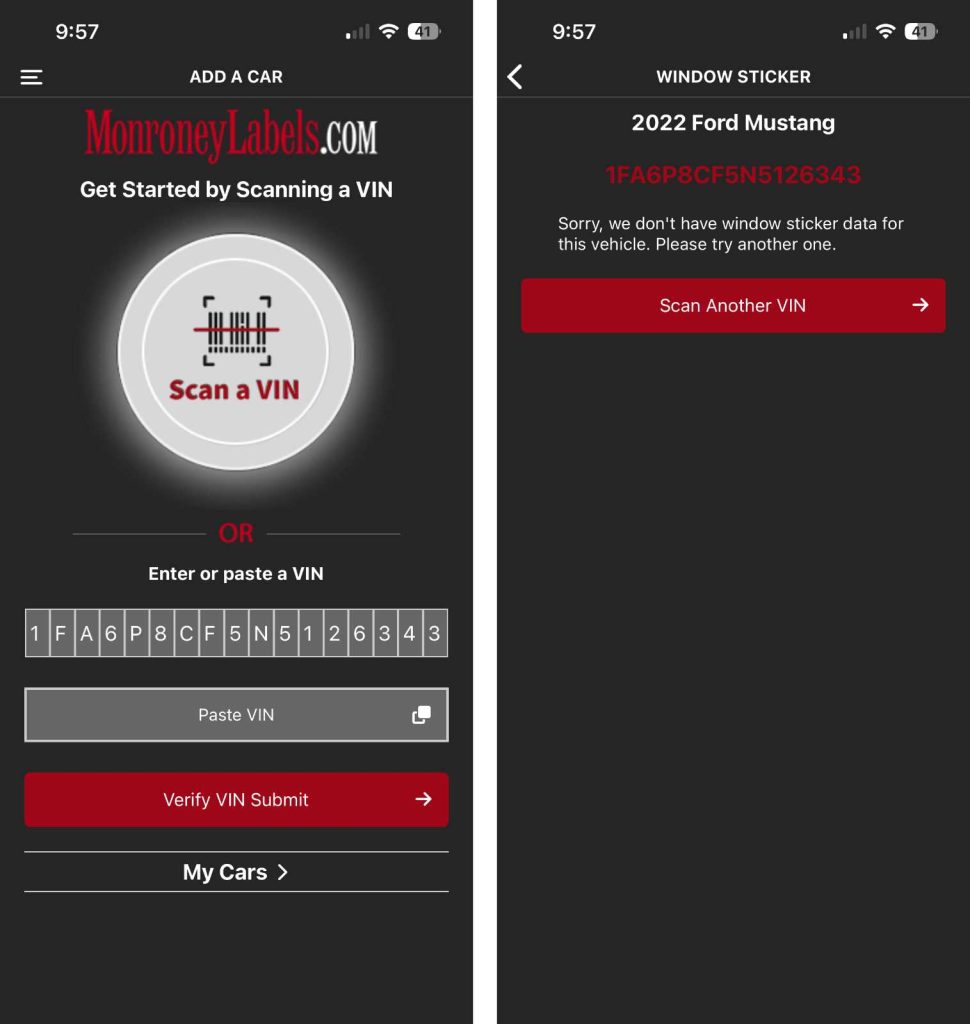
Option 3 – For the option where we would just get the checklist, the mobile app helpfully alerts us that there is no window sticker data for the VIN and it won’t even let us checkout. This is a huge improvement over the web site.
Conclusions
There are no guarantees that you will get an actual manufacturer issued window sticker for your car and no way to know what you will get until after your purchase. Their FAQ is a little deceiving on this topic. In the question on whether you will get the ‘window sticker’ they are careful to add the words ‘window sticker data‘ to the answer.
Do you have the window sticker for my car?
We have window sticker data for 100% of U.S. cars for our covered brands.
Please check to make sure your car is included in our covered brands before purchase.
source: Frequently Asked Questions
Further, on the web site, there appears to be an acknowledge of the flaw in their system where you will just get a checklist with no information on your actual options.
I purchased a window sticker and all I got was a checklist?
If we don’t have the window sticker data for a vehicle, you will get the list of available option packages so you can check them off yourself to re-create the window sticker.If you got the checklist, it’s probably because your car is not included in our list of covered brands. But, if you car is included in our list of covered brands, the most likely reason is that your car was built for sale outside of the U.S.
If you are unhappy with your purchase, email us for a refund.
source: Frequently Asked Questions
This is a true case of “your mileage may vary”. I’ve purchased 15 window sticker from MonroneyLabels.com with nearly $150 of my own money. Of those, 5 were full actual window stickers, 8 were options lists with the ‘window sticker data’ and 2 were just the checklist. I don’t like those odds.